Zabbix Monitoring
Monitors hosts, interfaces, services, storage usage and availability.
NESCOL HND FINAL PROJECT
A secure enterprise-style lab environment built with Cisco Firepower, Ubuntu Server, Docker, Zabbix, NetBox, Zammad ticketing, n8n automation and a custom VM access portal.
Project Overview
A working infrastructure environment designed around network security, monitoring, documentation, automation and service support.
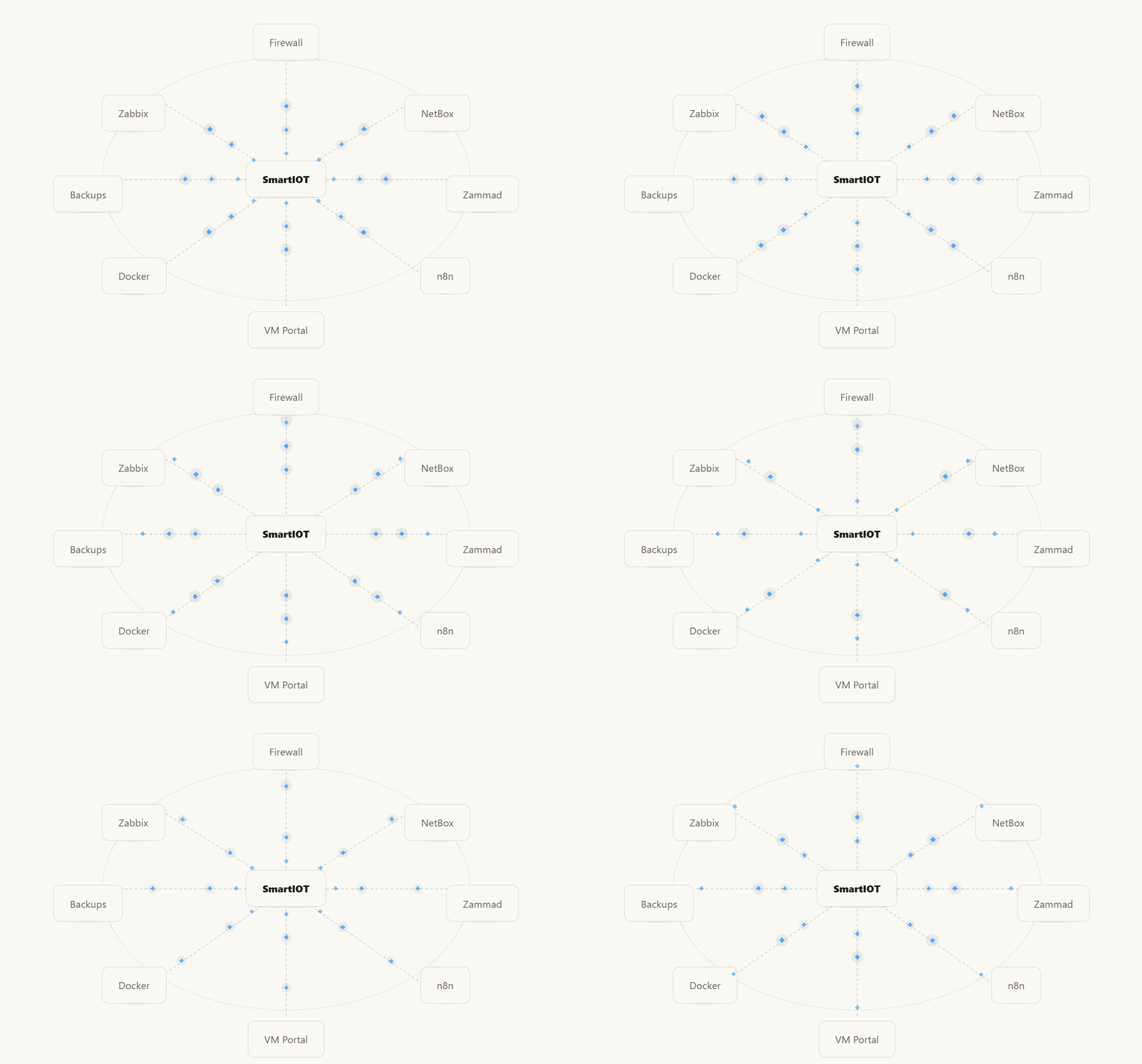
I’ll check Zabbix monitoring, Zammad ticketing, n8n automation, NetBox documentation and the VM access portal.
Once the checks are complete, I’ll prepare the demo flow and show which parts are ready for evidence.
Build
Each service represents a working part of the final SmartIOT infrastructure.
Monitors hosts, interfaces, services, storage usage and availability.
Used for structured infrastructure documentation and addressing.
Provides a helpdesk process for support requests and incidents.
Supports webhook-driven workflows and project automation.
Provides self-service access details for the Windows 11 VM.
Hosts multiple services in isolated containers.
Automate
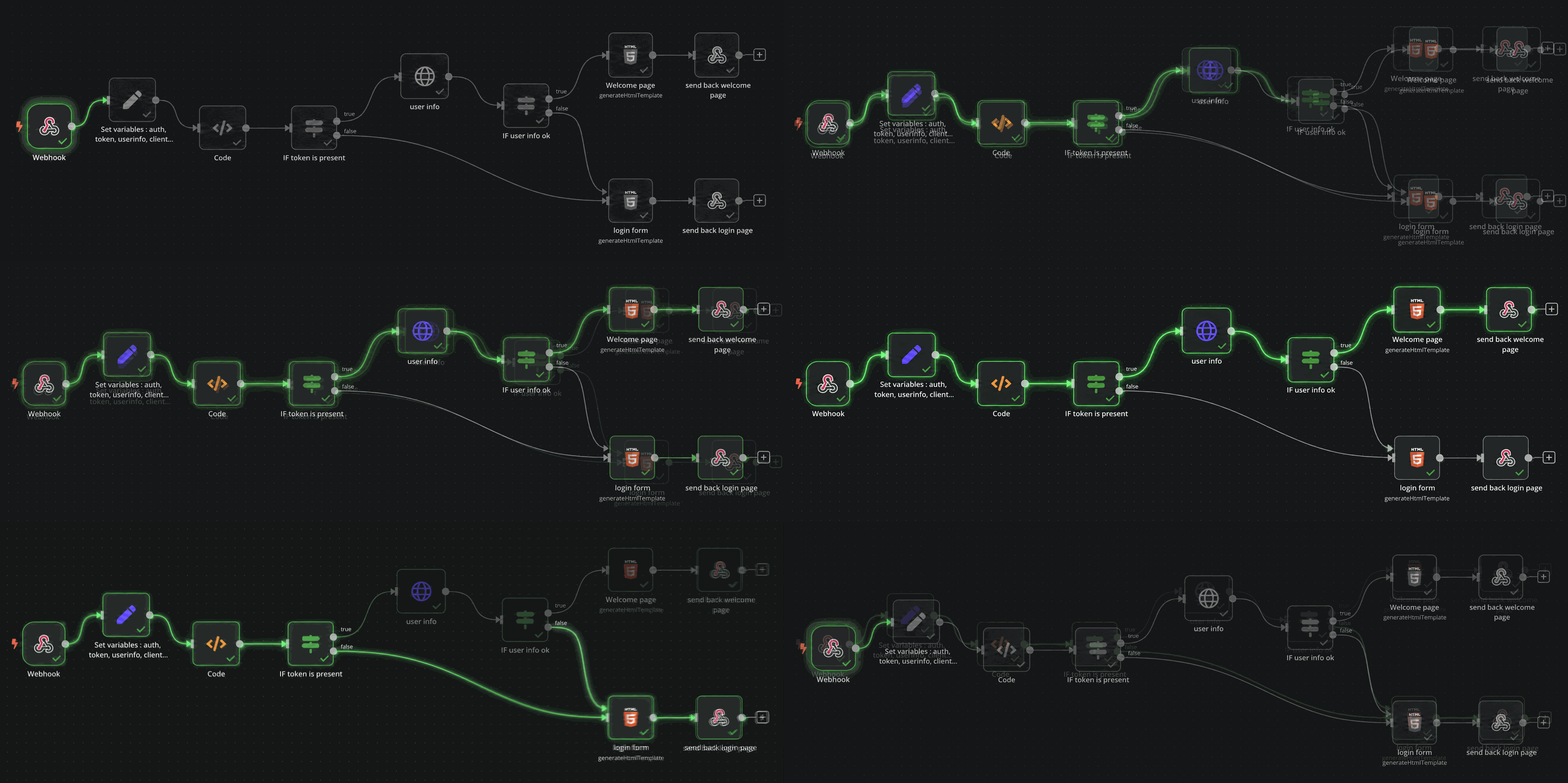
n8n was added to show how the infrastructure can respond automatically instead of relying only on manual administration.
A request is sent by user action or service event.
n8n checks the request and prepares the output.
Information is returned, processed or sent onward.
Logs, screenshots and results support the project report.
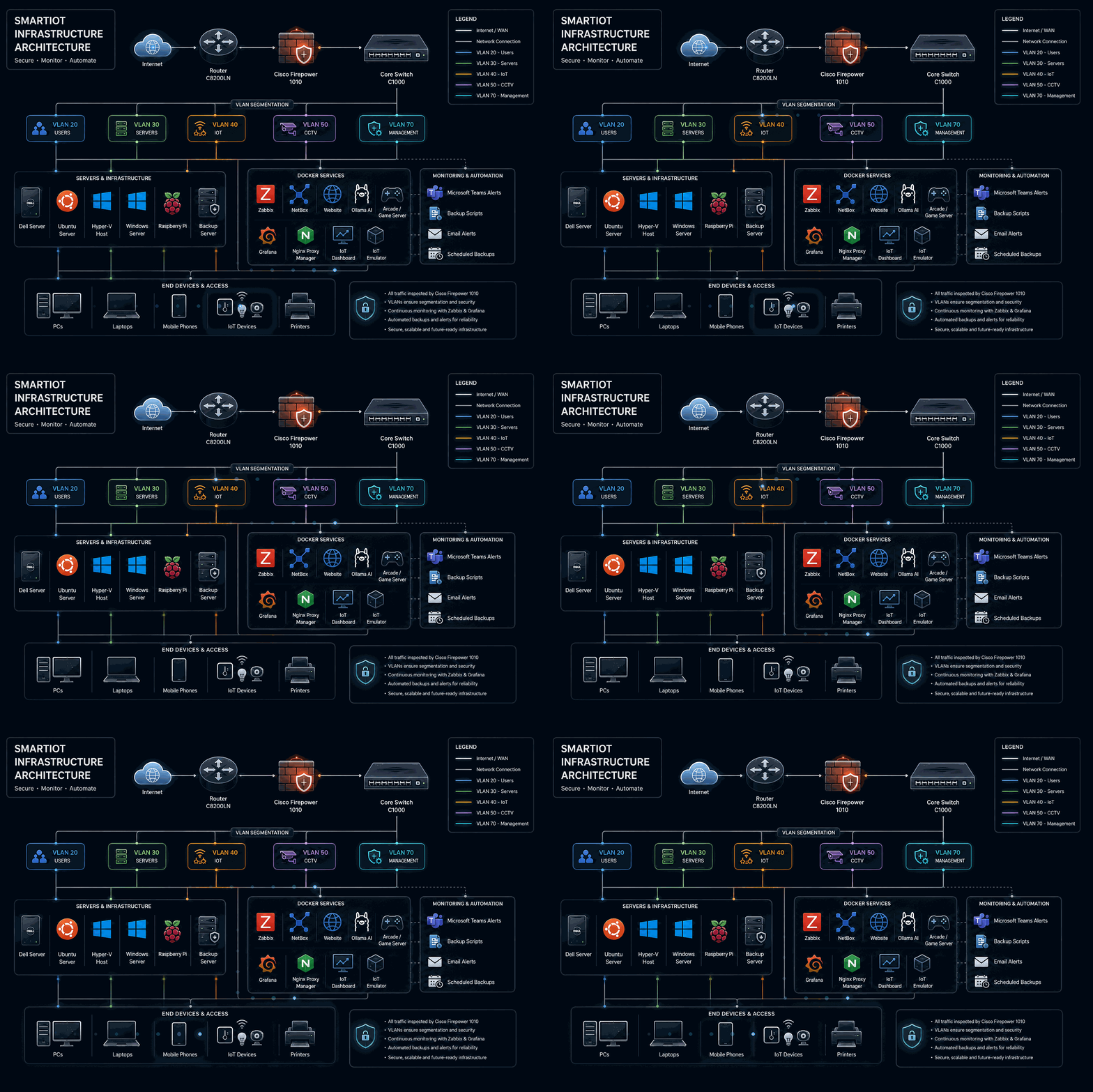
Architecture
The full project layout connects firewall security, VLANs, monitoring, documentation and automation.
.
Support
The ticketing system was added to make the project more realistic and aligned to a real IT support environment.
Access
The custom VM portal provides a simple way for users to request and receive access details for the Windows 11 demonstration machine.
Resources
Add screenshots from your project into these areas or link them to your report.
Project Files
All project documents, reports and screenshots can be linked here for marking and demonstration.
Contact / Demo
Use this area as a demo request section. Later you can connect it to an n8n webhook or another backend workflow.